Save and Edit Recipes
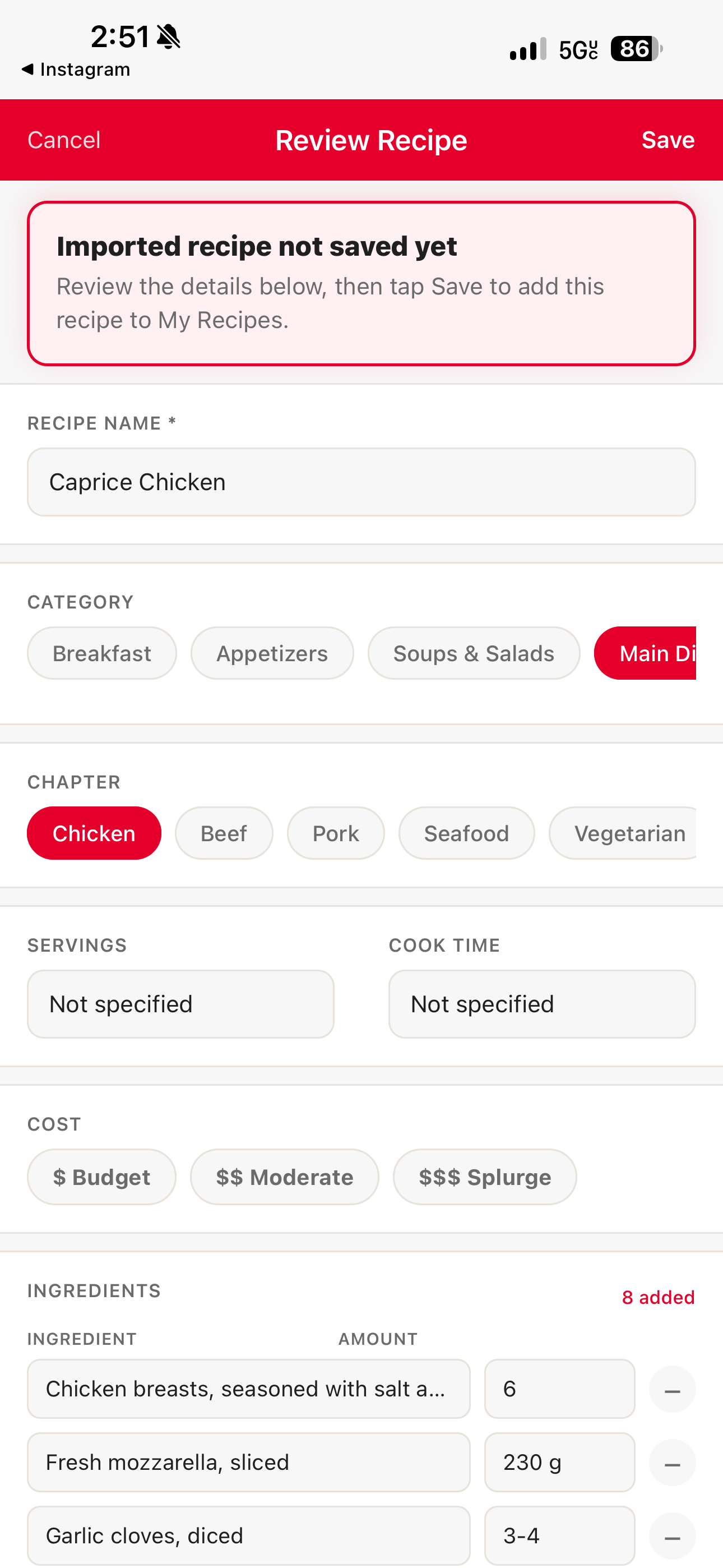
Review before you save
Whenever you import a recipe — from a link, a photo, or a social post — Clever Cupboard shows you a review screen before it's saved.
- Check the recipe name, ingredients, and instructions.
- Tap any field to fix anything that's missing or wrong.
- Tap Save Recipe.
Edit a recipe you've already saved
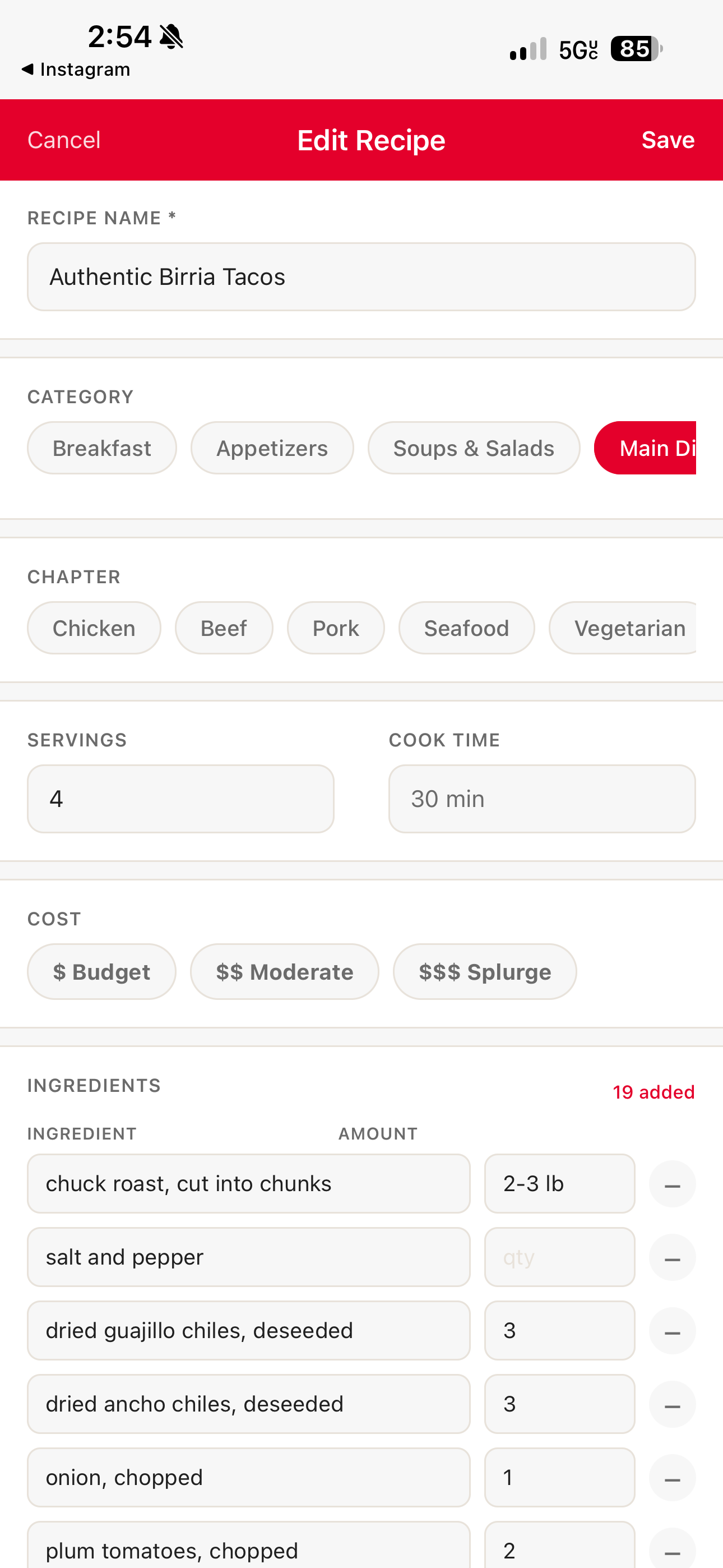
- Open Clever Cupboard and go to the Recipes tab.
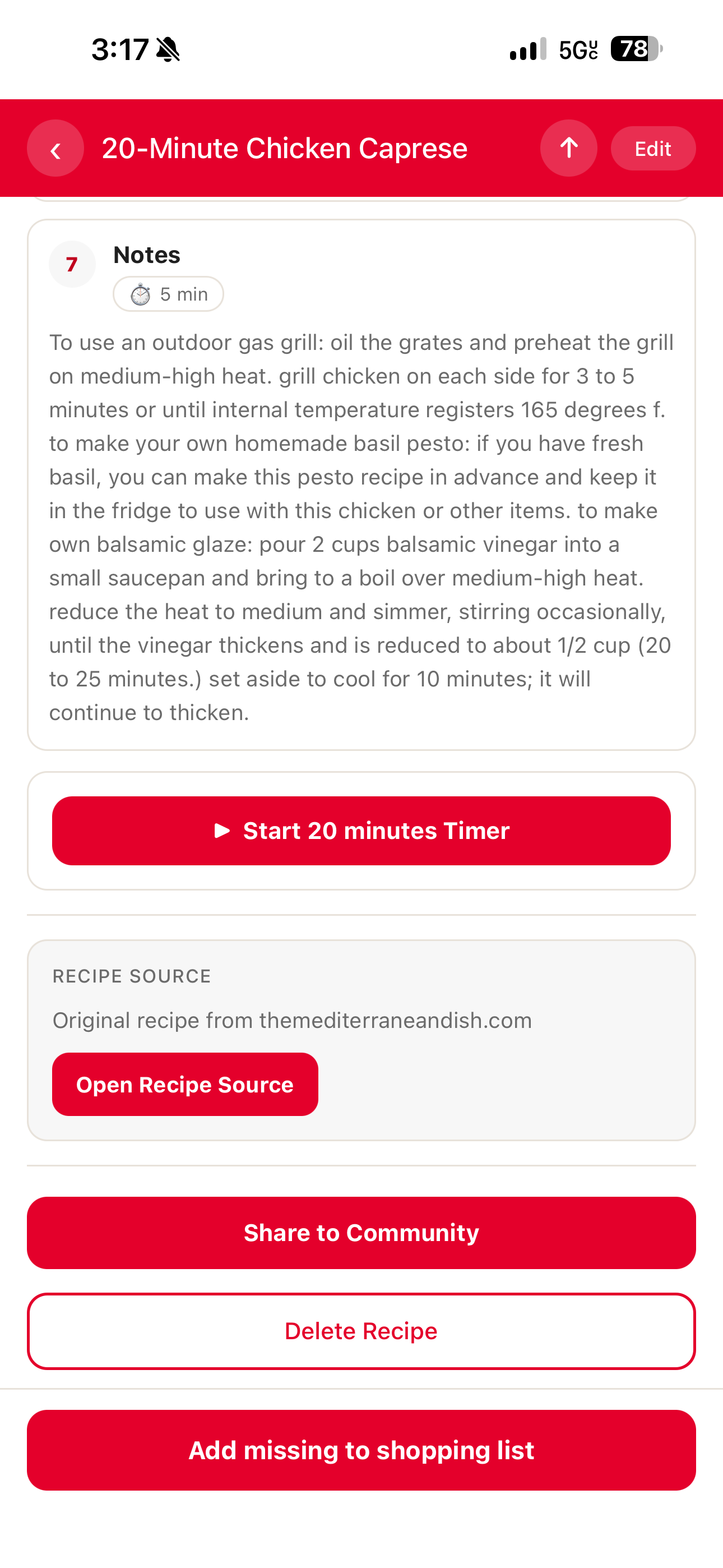
- Open the recipe you want to change.
- Tap the edit button.
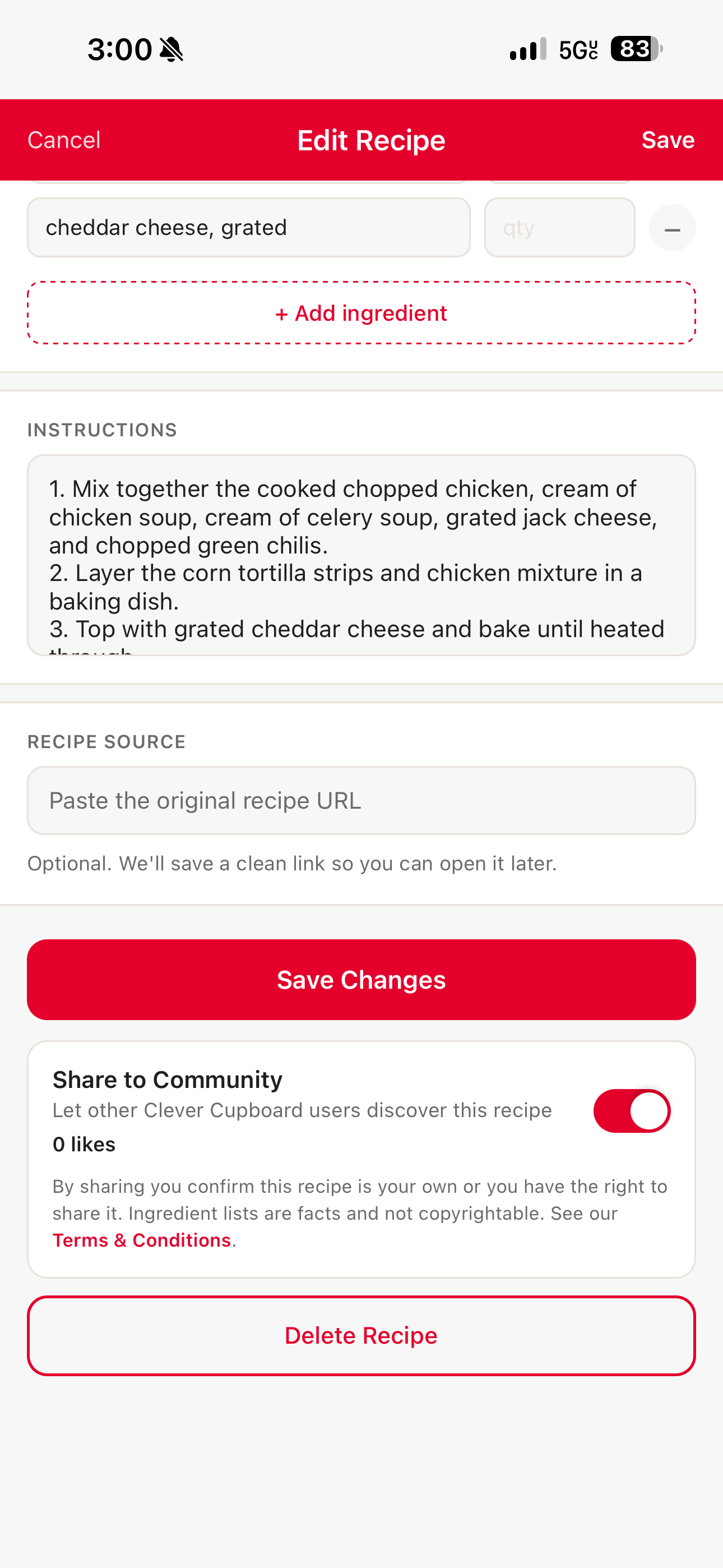
- Update the ingredients, steps, notes, or category.
- Save your changes.
What happens next
Your changes are saved to that recipe. The updated version is what you'll see the next time you view it, cook it, or add it to your shopping list.
note
If a recipe imported with missing ingredients, open the recipe review screen and add them before saving. If it's already saved, open the recipe and tap the edit button instead.