Add Your First Recipe
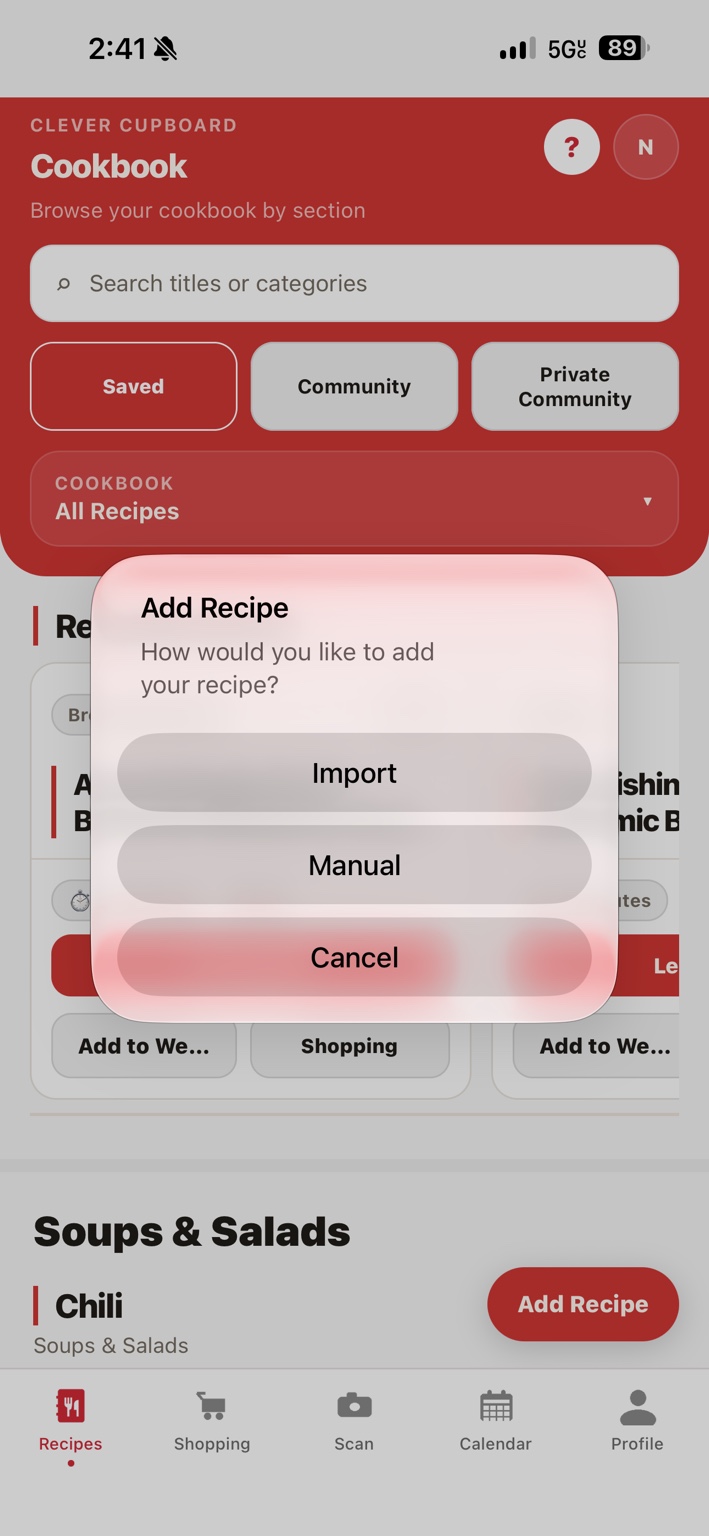
There are a few ways to add a recipe to Clever Cupboard. Pick whichever matches where your recipe already lives.
Ways to add a recipe
- Recipe website link — paste a link from a recipe website.
- Recipe photo — take or choose a photo of a printed recipe or recipe card.
- Social media post — share a recipe post to Clever Cupboard from Instagram, TikTok, Facebook, or Pinterest.
- Manual entry — type the recipe in yourself.
For links, photos, and social posts, see Import a Recipe for the full steps.
Steps: add a recipe manually
This is a good choice for family recipes you already know by heart.
- Open Clever Cupboard and go to the Recipes tab.
- Tap Add Recipe.
- Choose to create a recipe manually.
- Enter the recipe name, ingredients, and instructions.
- Tap Save Recipe.
What happens next
Your recipe is saved to your recipe library in the Recipes tab. You can open it any time to view, edit, cook, plan, or shop from it.
note
After any import, review the recipe and make any edits before you save it — see What if the import misses something?